SIGN UP FREE

Course evaluations that belong inside Moodle

Connect QuestionPro course evaluations to your Moodle courses and give students a direct path to complete feedback no separate links, no extra logins. QuestionPro handles everything behind it: survey setup, response data, dashboards, and instructor reports.

Book a Demo

Three things that make Moodle evaluations easier for everyone

Focus the evaluation on the student path, a clean setup, and the reporting your team needs after responses come in.

Students find it in the course

The evaluation appears where students already check assignments and course materials not in a separate email or external link they have to track down.

Instructions and timing are built in

Add completion guidance, open and close dates, and participation context so students know what's expected without a separate communication.

Results go straight to QuestionPro

Every response feeds directly into QuestionPro. Your team accesses dashboards, exports, and instructor-ready reports from one consistent place.

Moodle handles the access. QuestionPro handles the evaluation.

Students reach the evaluation through their Moodle course the same place they access lectures, assignments, and course materials. QuestionPro takes it from there: the survey structure, response collection, analysis tools, and reporting all live in one place your team can actually manage.

  • Connect any existing QuestionPro survey to a Moodle course
  • Students reach the evaluation without leaving Moodle
  • All responses collected and ready for reporting inside QuestionPro
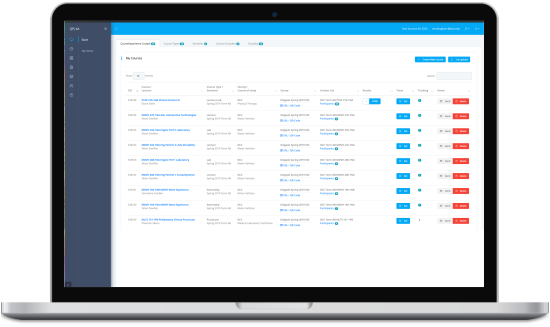
QuestionPro course evaluation setup for Moodle

Timing, communication, and reporting handled as one process

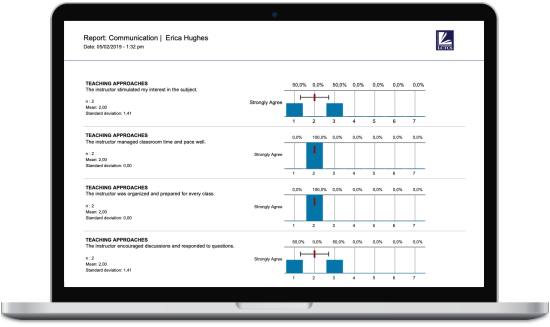
When the evaluation goes live, who hears about it, and what happens to the results shouldn't be three separate conversations. QuestionPro lets your team plan evaluation windows, set student-facing instructions, and share instructor and department reports without switching systems.

  • Set evaluation open and close dates at the course level
  • Give students clear participation expectations inside Moodle
  • Share results with instructors and leaders directly from QuestionPro
Moodle course evaluation reporting with QuestionPro

Four questions to answer before you launch Moodle course evaluations

1

Where will students find it?

The evaluation should appear in a predictable location inside the Moodle course somewhere students naturally look, not buried in a sidebar.

2

When does it open and close?

Define availability windows, remind instructors of timing, and communicate expectations to students before the evaluation opens.

3

Who can see the responses?

Decide early who has access to results and at what level. QuestionPro's role-based access lets you share instructor-level reports without exposing raw data across departments.

4

What does your team need from the results?

Department heads, academic leads, and instructors each need different views. Define the reports before the evaluation launches so the data is useful the moment it comes in.

See how QuestionPro connects to your Moodle setup

In a 20-minute conversation, we'll map your current evaluation workflow, show how QuestionPro integrates with Moodle, and work through the setup, timing, and reporting your team needs.

Book a Demo

FAQ

Does QuestionPro integrate with Moodle?

Yes. QuestionPro integrates with Moodle to deliver course evaluations directly inside Moodle courses. Students access the QuestionPro survey from within Moodle, and all response data, dashboards, and reports are managed inside QuestionPro.

How do I add a course evaluation to a Moodle course using QuestionPro?

You link a QuestionPro survey to a Moodle course, configure instructions and availability settings, and publish it so students can access the evaluation without leaving Moodle. Your team manages responses and reporting from within QuestionPro.

Can Moodle course evaluations be anonymous with QuestionPro?

Yes. QuestionPro supports anonymous survey configurations. Whether a course evaluation is anonymous depends on how the survey is set up in QuestionPro. Administrators control data visibility and response-level access.

Where do Moodle course evaluation responses go?

All responses are stored in QuestionPro. Your team accesses reporting, real-time dashboards, and exports from the QuestionPro platform keeping all evaluation data in one place regardless of how many Moodle courses the evaluation runs across.