


Synthetic responses
Synthetic responses allows you to collect survey responses using simulated versions of real community members. Instead of waiting for respondents to complete your survey, the platform uses AI to predict how active members of the community would answer the questions.
This feature helps researchers:- Get instant insights
- Test survey questionnaires
- Simulate research outcomes
- Reduce research timelines
Follow these steps to collect synthetic responses in the survey.
- Go to Surveys in the Synthetic data platform from the sidebar
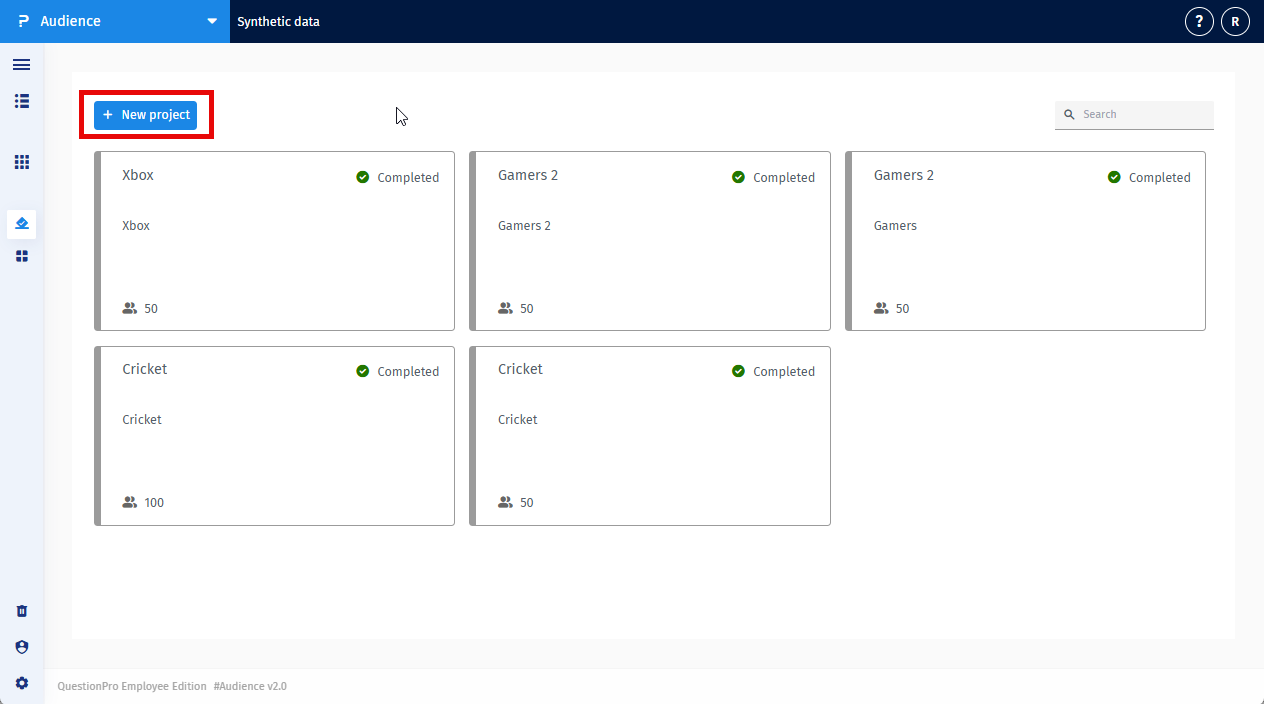
- Click on New project
-
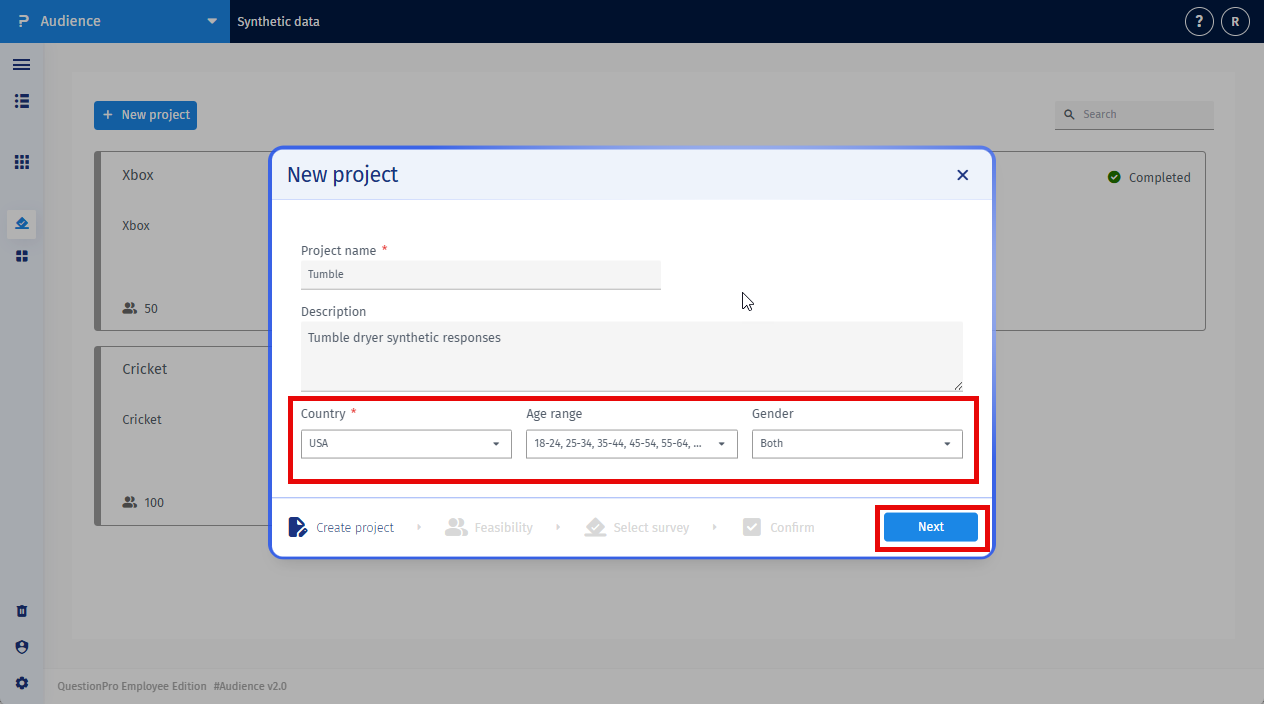
Enter following details:
-
Project name
A name to identify your project.
-
Description
Example: Understanding consumer preferences for electric vehicles
-
Region
Select the country.
-
Age range
Select the age ranges you want to target
-
Gender
Select the gender you want to target
Now, click Next
-
Project name
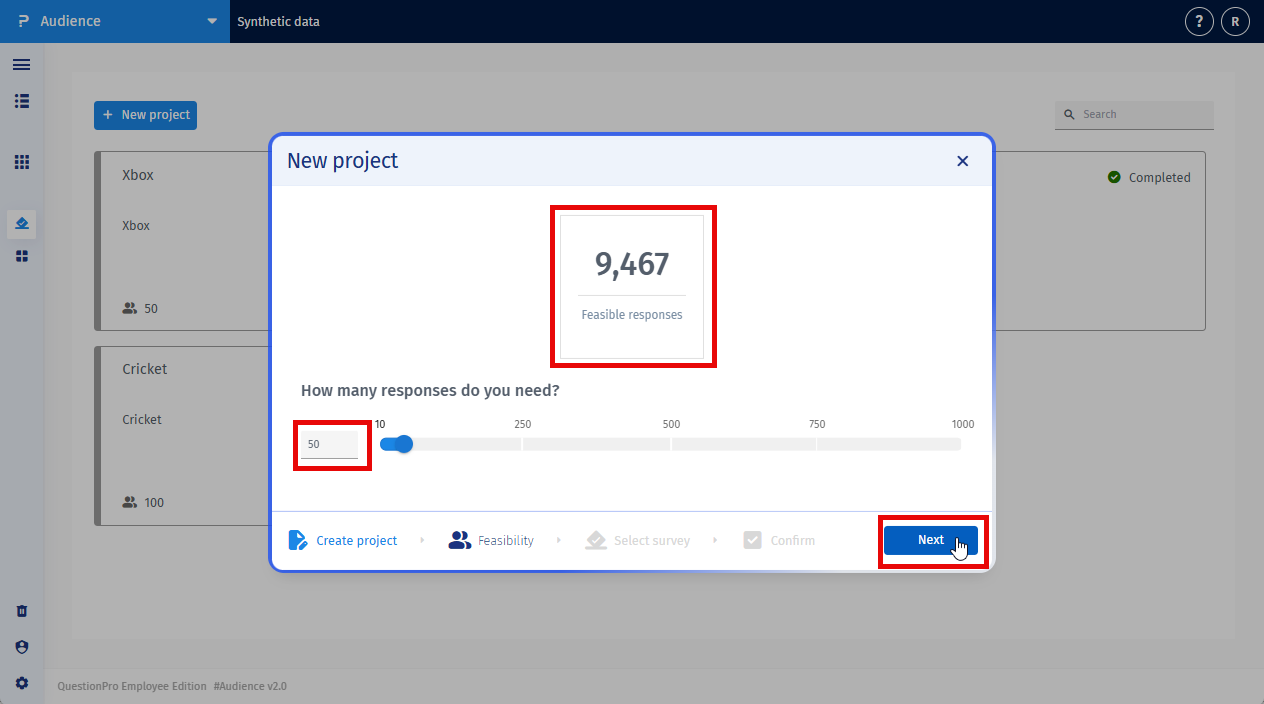
- Select the number of synthetic responses required and click on Next
-
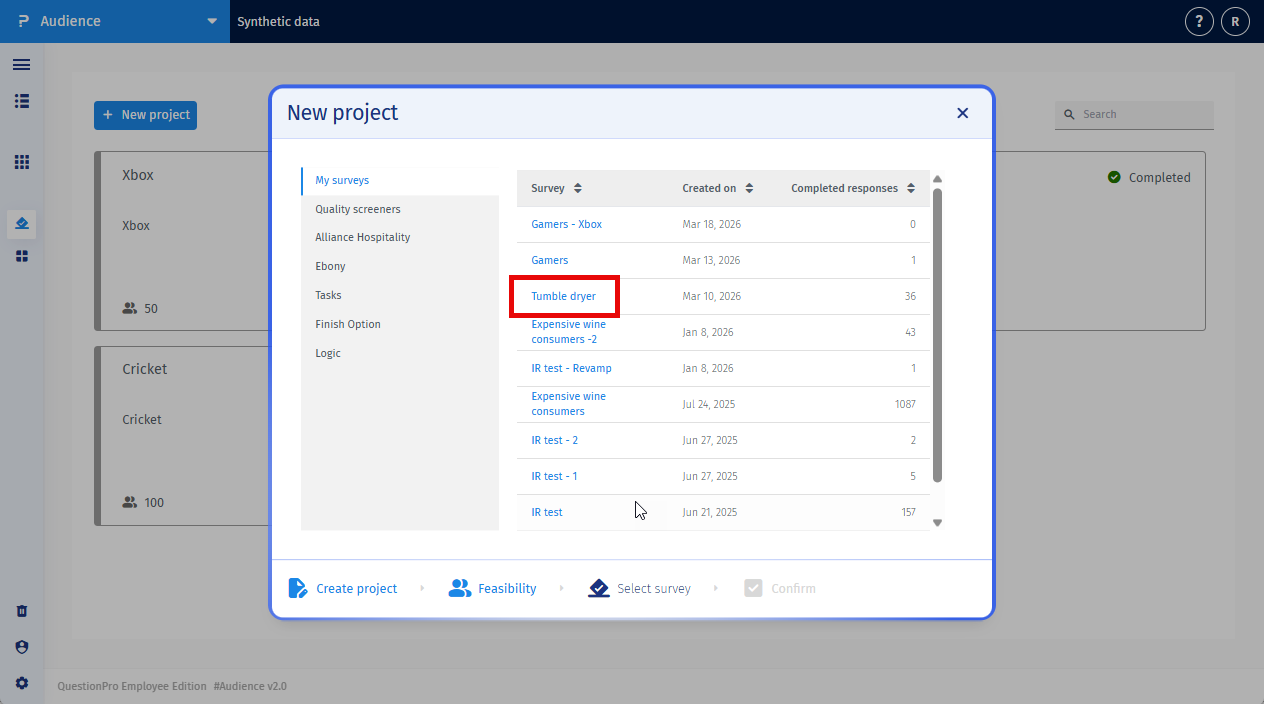
Select a survey
The survey you select will be answered by synthetic respondents.
Ensure that the survey:- is finalized
- contains valid question logic
- is ready to be launched
-
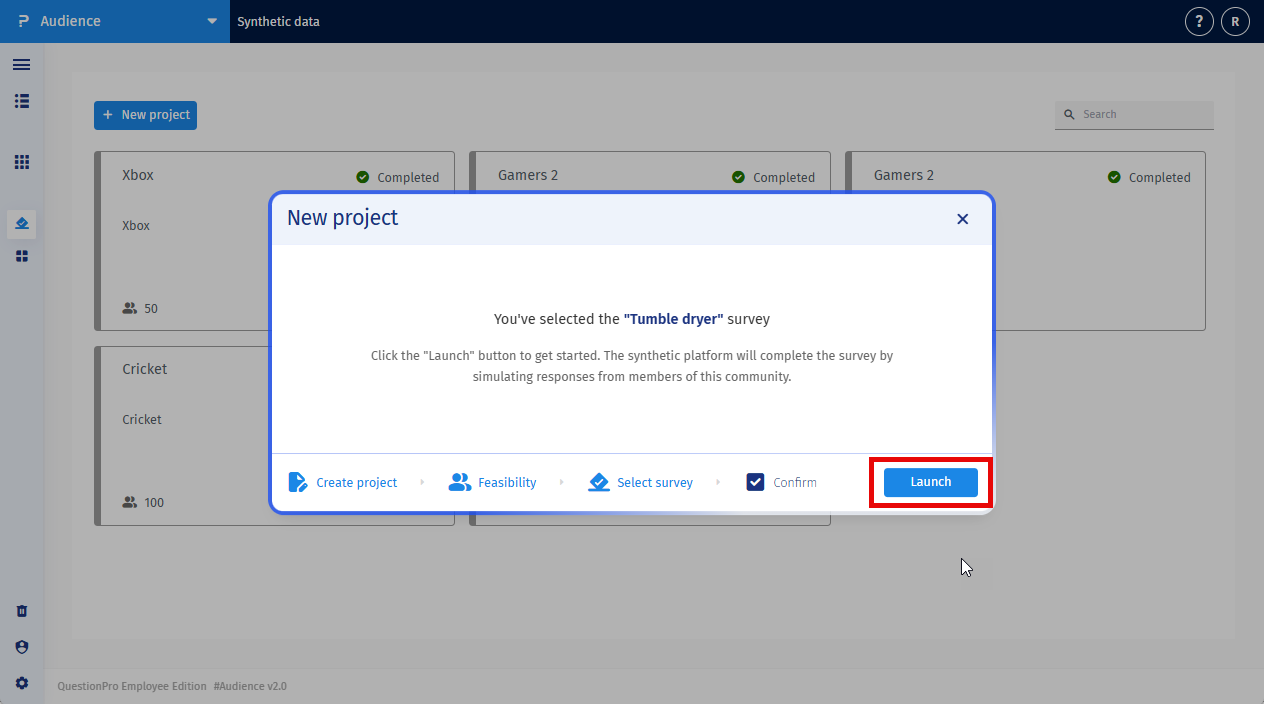
Confirm launch
You will see a confirmation message:
Click Launch to collect synthetic responses from active members of the community.
-
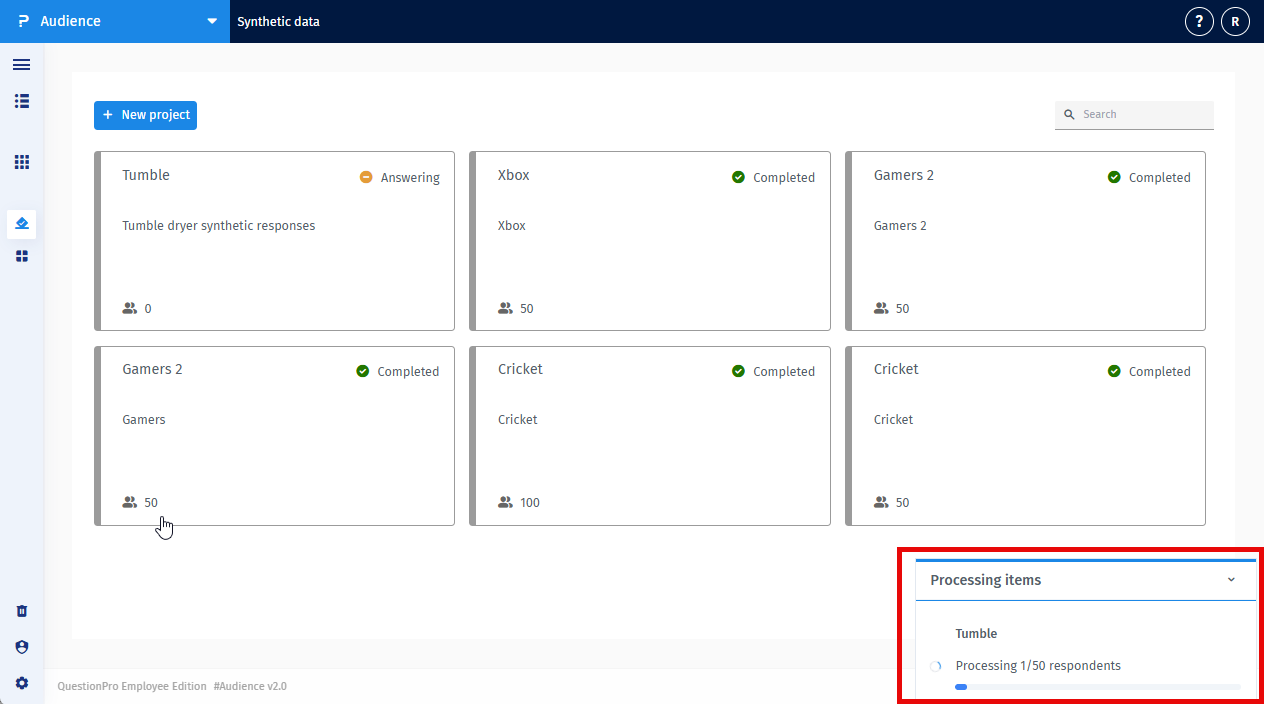
System Processing
Once the survey is launched, the platform begins collecting responses.
The system will:- Select active members from the synced community.
- Build respondent context profiles.
- Send the context and survey questions to the AI model.
- Collect responses for each respondent.
- Store the responses in the survey dataset.
-
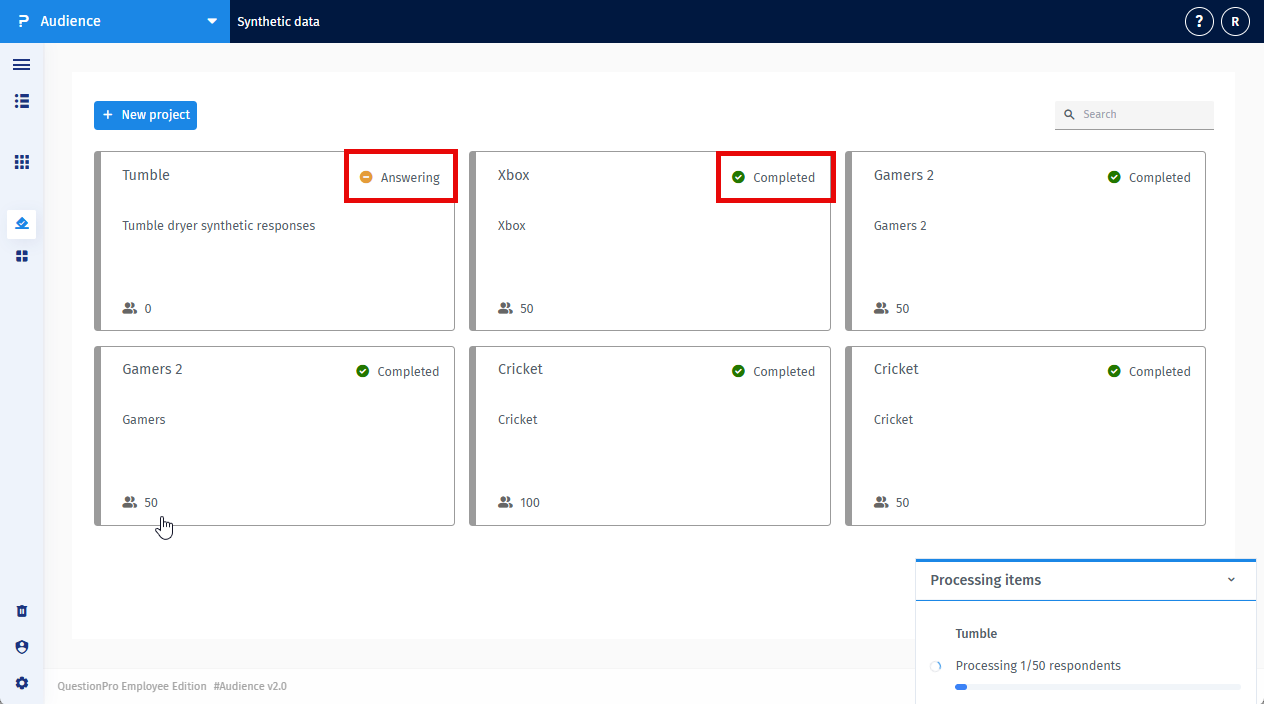
Monitor project status
The response generation job will appear in your dashboard.
Possible statuses include:- Answering
- Completed
- Failed

-
View Synthetic responses
Once the job is completed:
- Responses will appear in the survey results.
- Synthetic responses will be labeled accordingly.
-
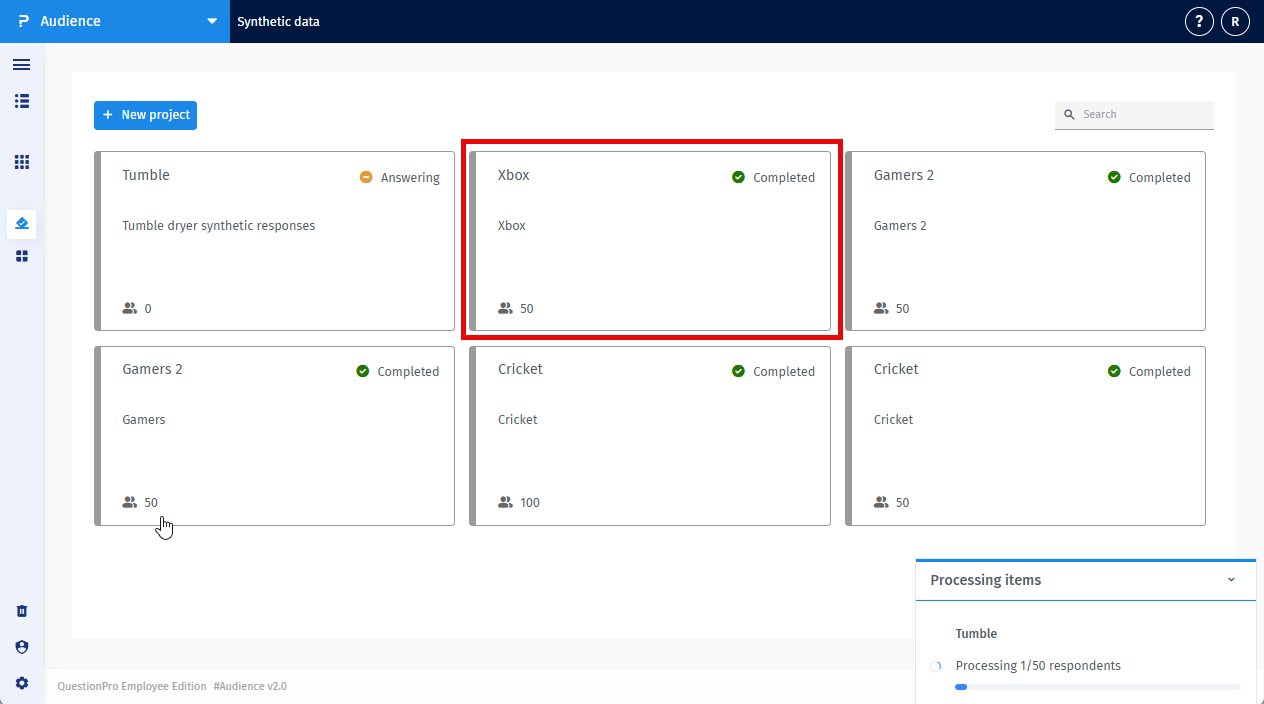
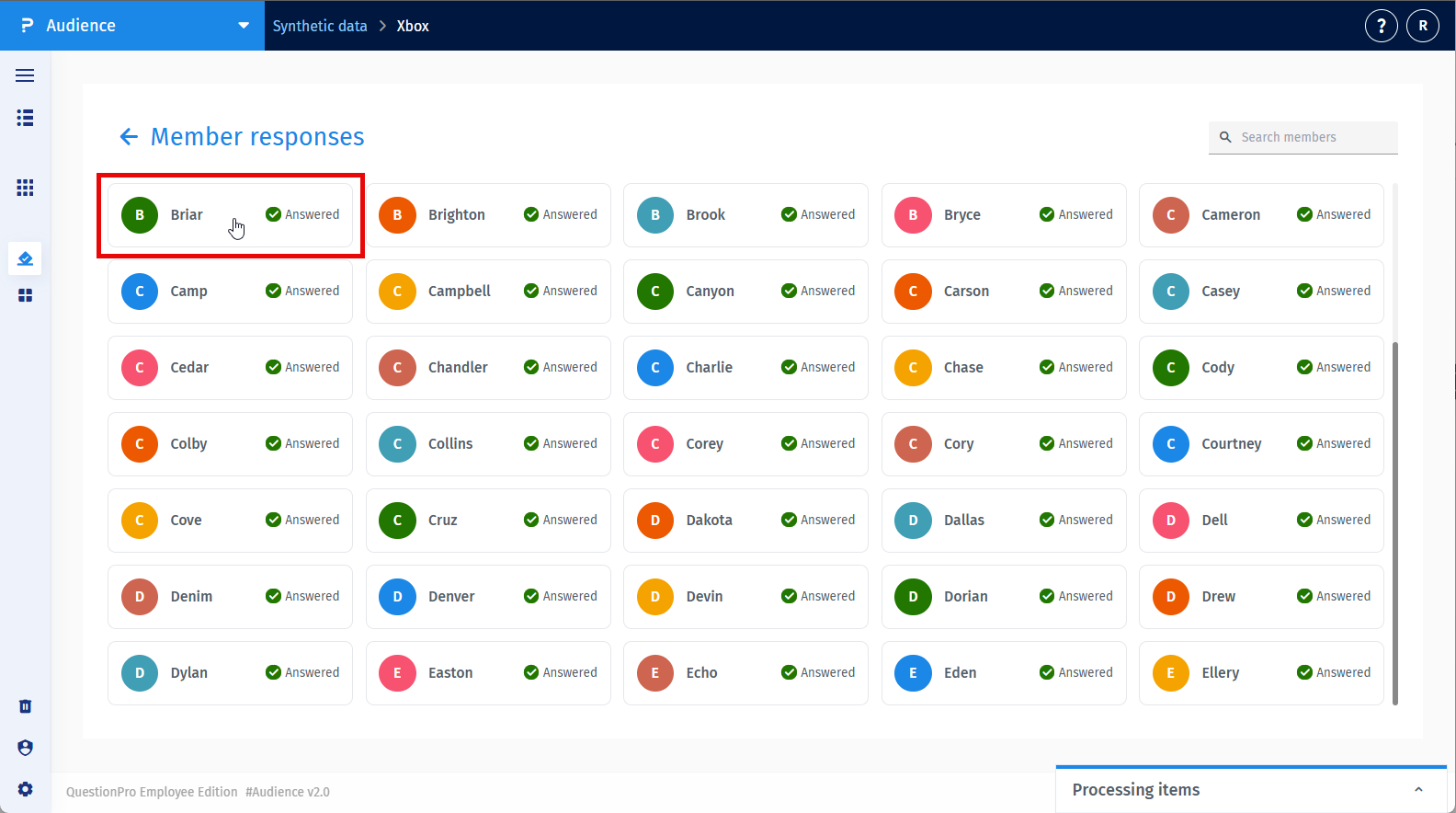
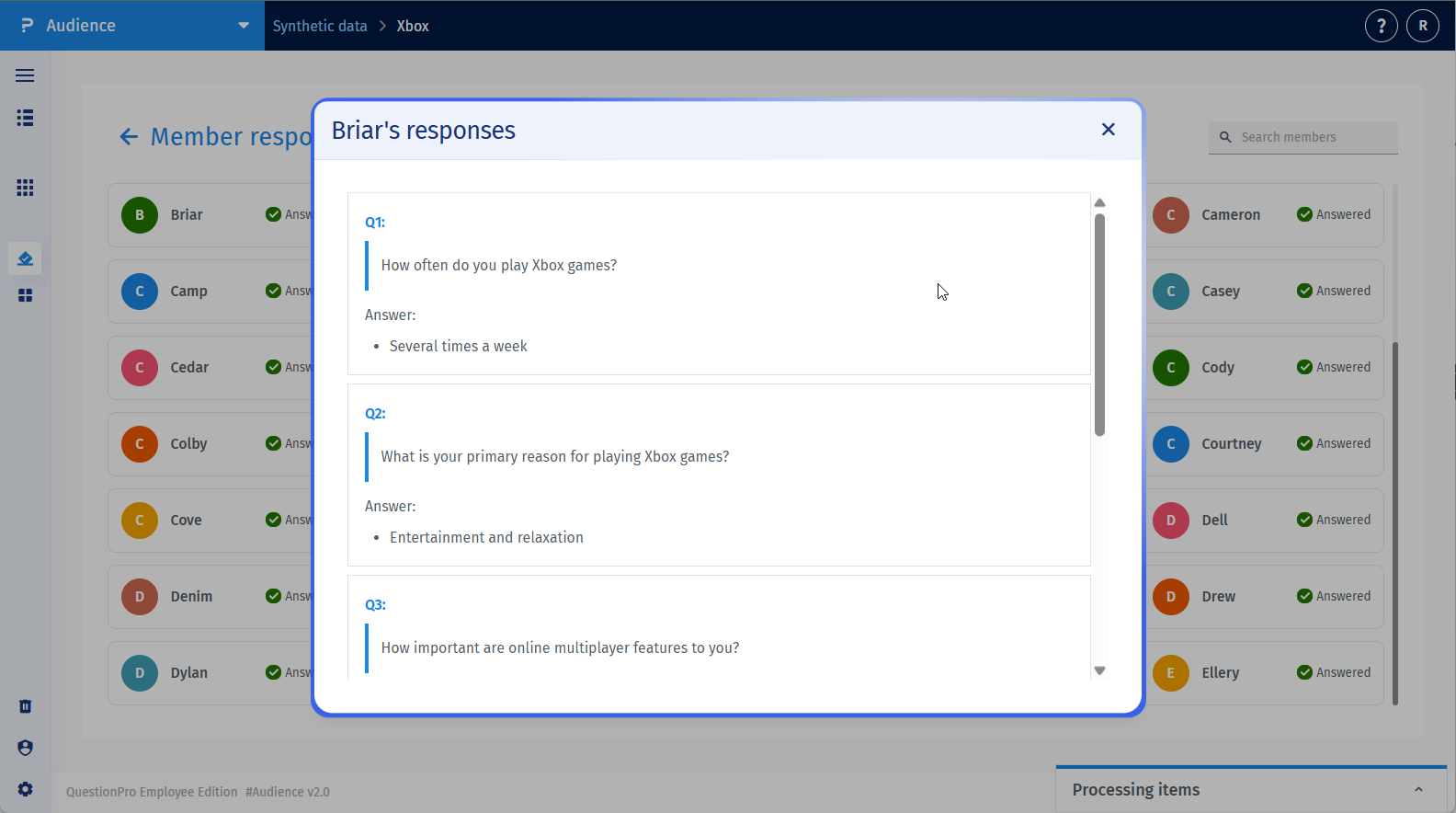
You can also view the questions answered inside the project by clicking on the member card.
- First click on the project.
- Click on the member card.
- You can view the responses here.
Synthetic responses cannot be generated for surveys containing certain question types that require human interaction, physical input, or external system integrations. If your survey contains any of these unsupported question types, the platform will not allow you to launch the synthetic response collection.
The following 20 question types are not supported:
- Heatmap
- Hotspot
- Homunculus
- Text Highlighter
- Signature
- Verified Signature
- Randomizer
- Captcha
- Store Locator
- Barcode
- QR Code Reader
- File Upload
- Custom Logic Engine
- Platform Connect
- Timer
- Canvas
- Multi-tier Lookup
- TubePulse
- Conjoint
- Max-Diff
To use Synthetic responses, please remove or replace these question types in your survey before launching the project.
This feature is available with the following licenses :
Advanced Team Edition Research Edition Communities Customer Experience University - Research Edition
