- Custom Variable Widget
- Priority Matrix
- Heatmap Widget
- Grid Widget
- Weighted mean widget
- Comment List widget
- Widget Filters
- Ranking List Widget
- Distribution Chart
- NPS Widget
- Trend Widget
- Word Cloud Widget
- Cross tab widget
- KPI Comparison Widget
- Bubble chart
- Custom Metric Trend Chart
- Trend Comparison Widget

Downloading Raw Data to Excel and CSV - Export Data
After you collect your data to do further analysis, you can export the data in different formats like Excel, CSV, SPSS, or Powerpoint. You can customize your reports like disable text data, include variable names and so on. You can also filter the data before you export it. You can add multiple data segments to filter the data.
The QuestionPro platform provides you with the ability to download the Raw Data directly to Excel and CSV. You can then create charts and do a detailed analysis offline with your results.
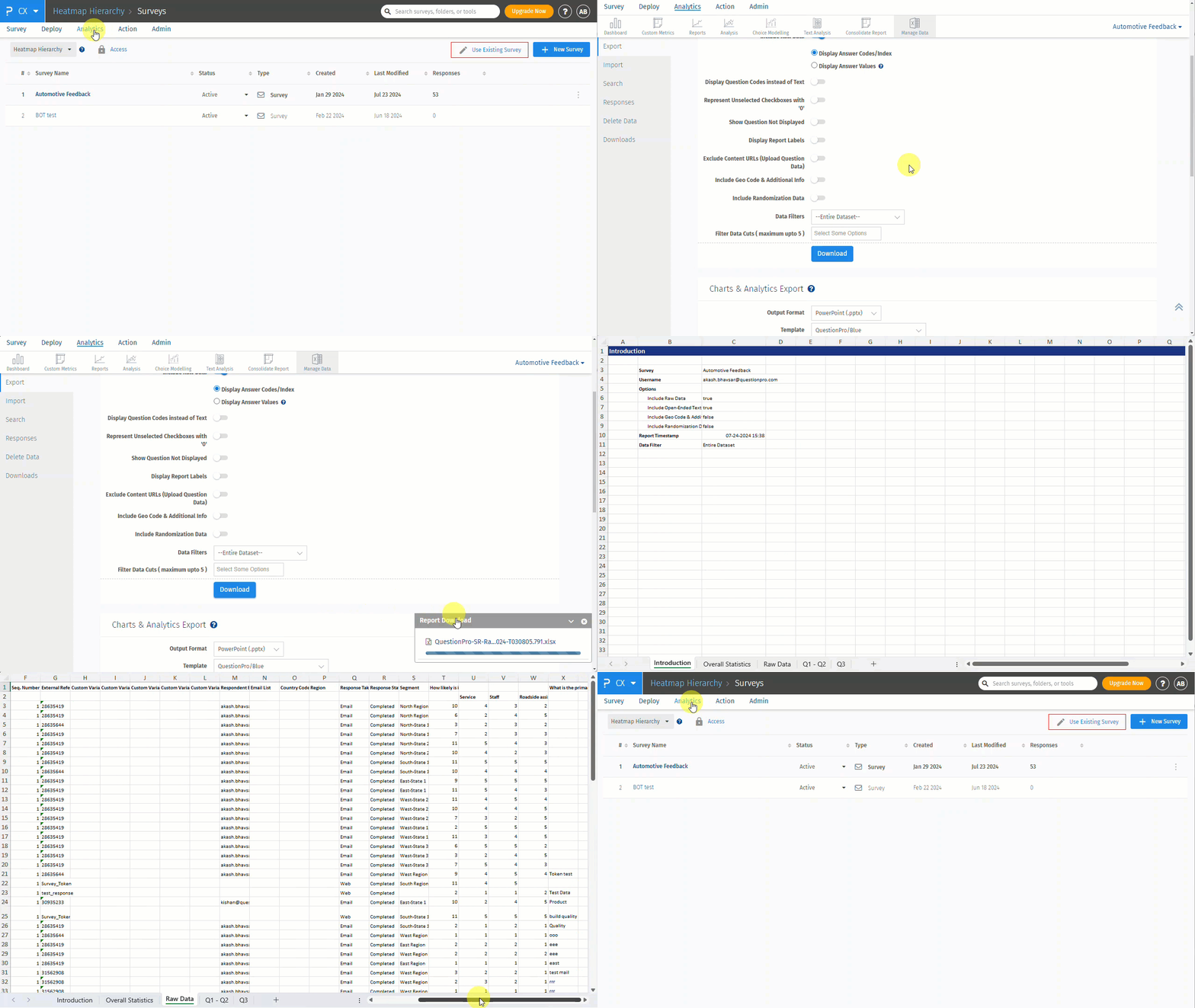
Here is a glimpse of the Raw data export option for Excel and CSV:
 Click to download video
To download the results of survey into Excel / CSV, go to:
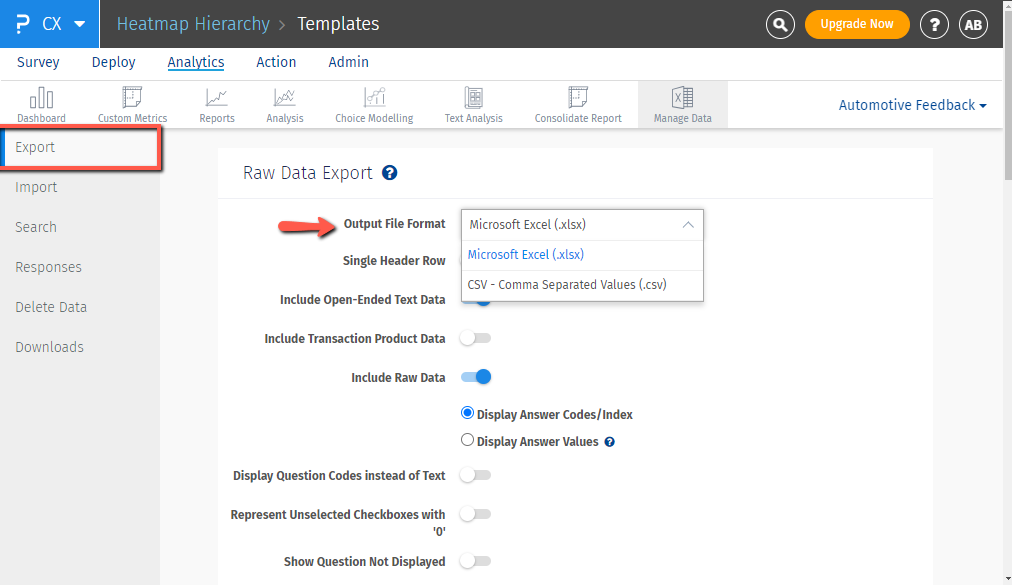
Login >> Customer Experience >> Analytics >> Manage Data >> Export
- Under Raw Data Export, select Excel / CSV as the Output File Format.
- Set all the necessary options
- Click on Download.
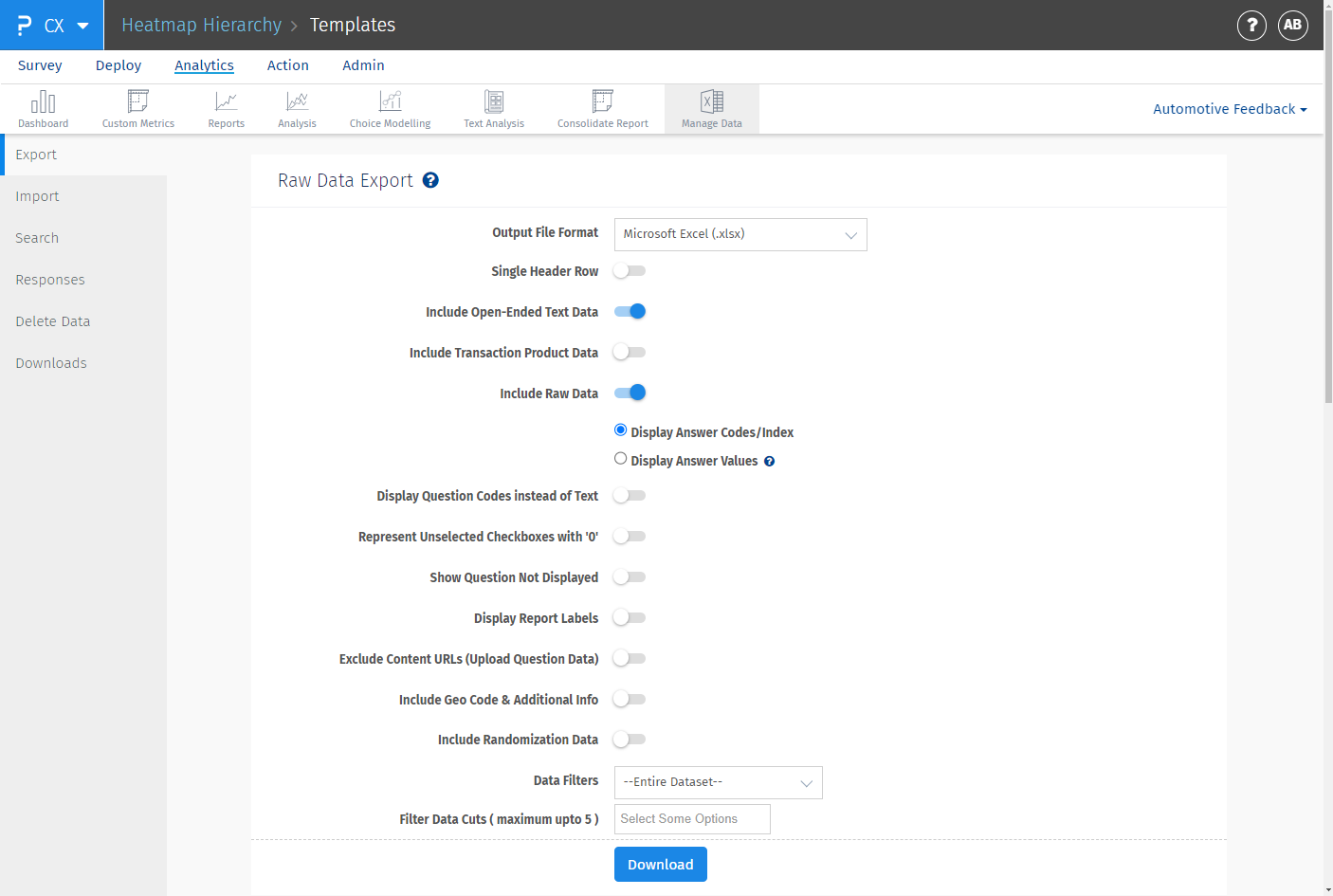
- Single Header Row:When enabled the downloaded report will have header in a single row instead of two rows
- Include Open-Ended Text Data: When enabled Open-Ended Text Data is included in the file. This option is enabled by default.
- Include Transaction Product Data:When enabled a seperate tab for products detail is included the downloaded report
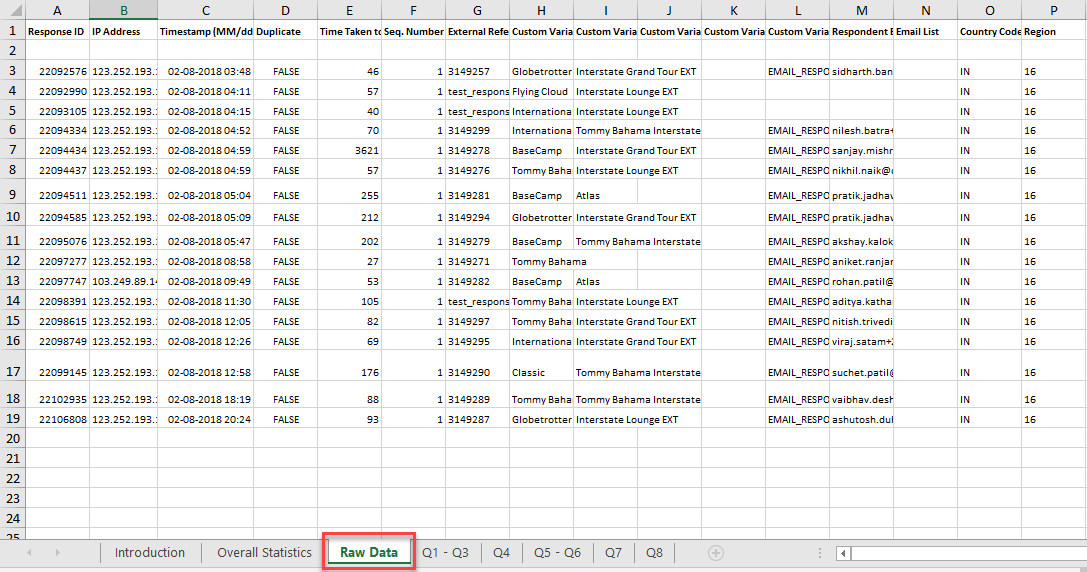
- Include Raw Data: A separate Raw Data sheet is included in the Excel file. This option is enabled by default.
- Display Answer Codes / Index: By default answer code / index are not included in the reports. To download answer code / index, enable this option.
- Display Answer Values: By default answer option text / values are not included in the reports. To download answer option text, enable this option.
- Display Question Codes instead of Text: Check this option if your question has large amount of text or includes Images/HTML. Instead of Question Text, Question Codes will be downloaded for easier understanding of the Reports.
- Represent Unselected Checkboxes with '0':
- Show Question Not Displayed:
- Display Report Labels:
- Exclude Content URLs (Upload Question Data):
- Include Geo Code & Additional Info:
- Include Randomization Data:
- Data Filter - Date: You can filter the report based on date, so data for only a particular time period is included.
- Data Filter - Response Status: You can download data based on the Response Status.
- Started But Not Completed: Users who have clicked on the "Continue" button but have not completed the survey so far.
- Completed: Users who have completed the survey.
- Terminated Via. Branching If you have branching logic for termination (screen outs) these responses are flagged as terminated.
- Filter Data Cuts ( maximum upto 5 ):
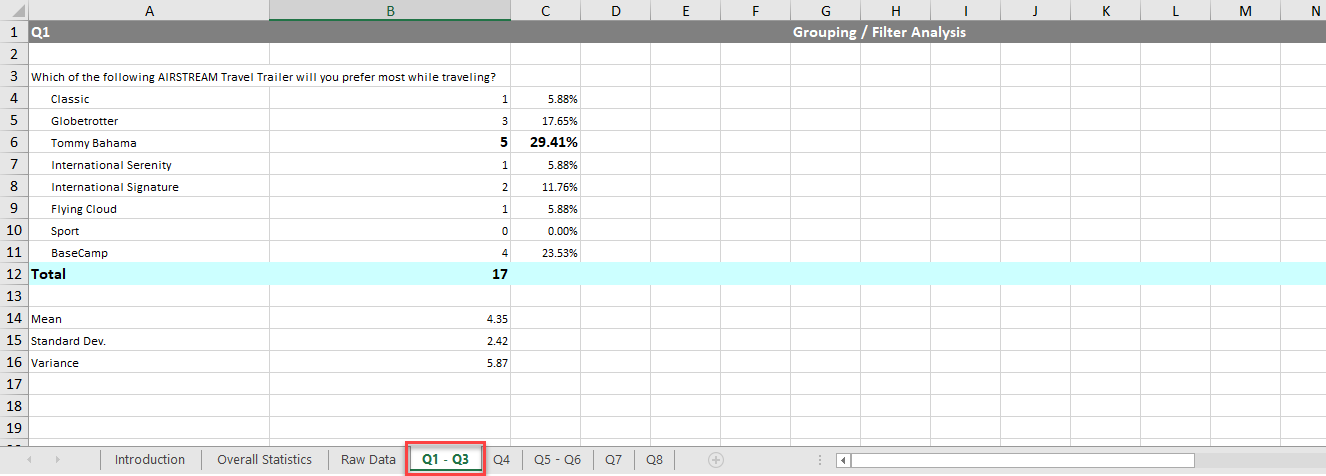
Excel file showing Raw Data and Individual Question Data
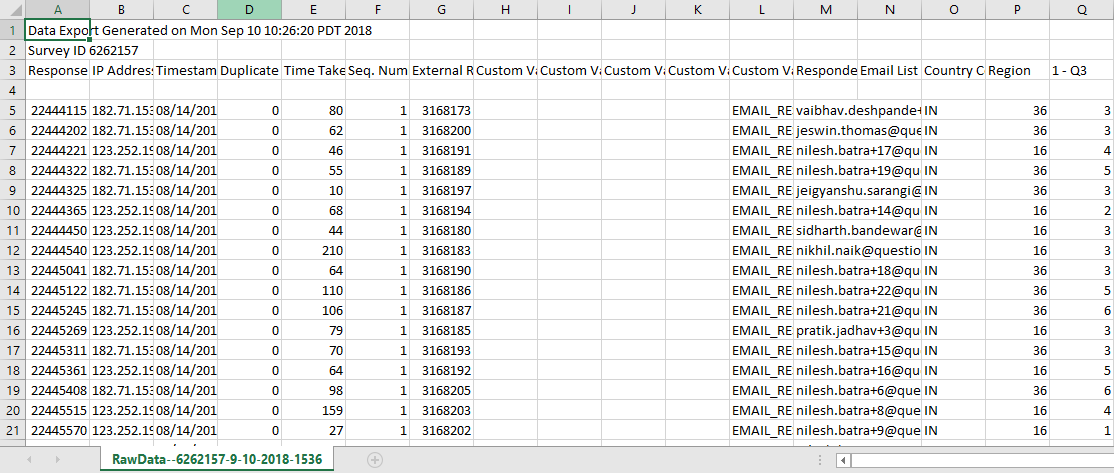
CSV file showing Raw Data